נהגים 2 דקות
ניהול משמרות
תכנון משמרות נהגים בלוח שנה חודשי
מתי משתמשים בזה?
תכנון מי עובד מתי. בלי משמרות מוגדרות אין דרך לדעת איזה נהג זמין לאיזו נסיעה.
איך מגיעים
תפריט: תפעול ← משמרות.
תצוגת לוח שנה
מסך המשמרות מציג לוח שנה חודשי:
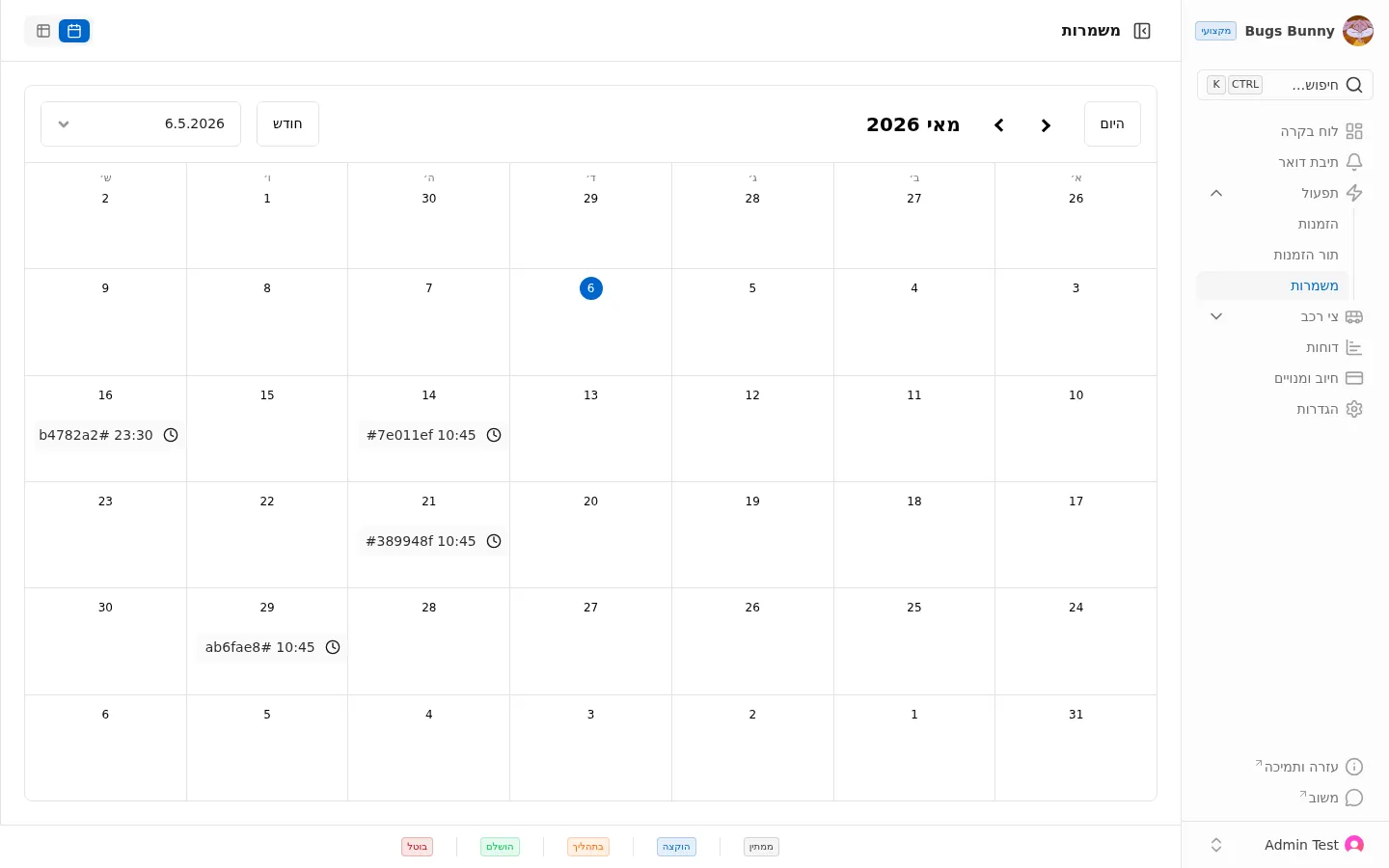
ניווט:
- היום — חזרה להיום
- חצים ימין/שמאל — חודש קודם או הבא
- חודש — בחירת תצוגה
- תאריך מסוים — בחירה מתפריט
הוספת משמרת
לחיצה על תא יום פותחת חלון להוספת משמרת. בוחרים נהג, רכב, שעת התחלה ושעת סיום, וההגדרה נשמרת.
סטטוסי משמרת
בתחתית המסך יש מקרא של חמישה סטטוסים:
- ממתין — המשמרת ממתינה
- שובץ — שויכה לנהג
- בביצוע — מתבצעת כעת
- הושלם — הסתיימה
- בוטל — בוטלה