איך פותחים הזמנה חדשה
מדריך ליצירת הזמנה חדשה — ההבדל בין הזמנת ארגון (מתקבלת אוטומטית) להזמנת לקוח (ממתינה לאישור)
מתי משתמשים בזה?
לכל נסיעה — חד-פעמית או חוזרת. ההזמנה היא נקודת ההתחלה של מחזור החיים.
שני מסלולים שונים, לפי מי יוצר את ההזמנה:
- סדרן או מנהל מהארגון — ההזמנה נכנסת אוטומטית למצב התקבל ועוברת ישר ללוח התפעולי. בלי שלב אישור.
- לקוח חיצוני — ההזמנה נכנסת למצב ממתין לאישור, והסדרן צריך לאשר אותה לפני שהיא ממשיכה במחזור.
הצילומים במדריך הזה מראים יצירת הזמנה בידי סדרן בארגון.
איך מגיעים
תפריט: תפעול ← הזמנות.
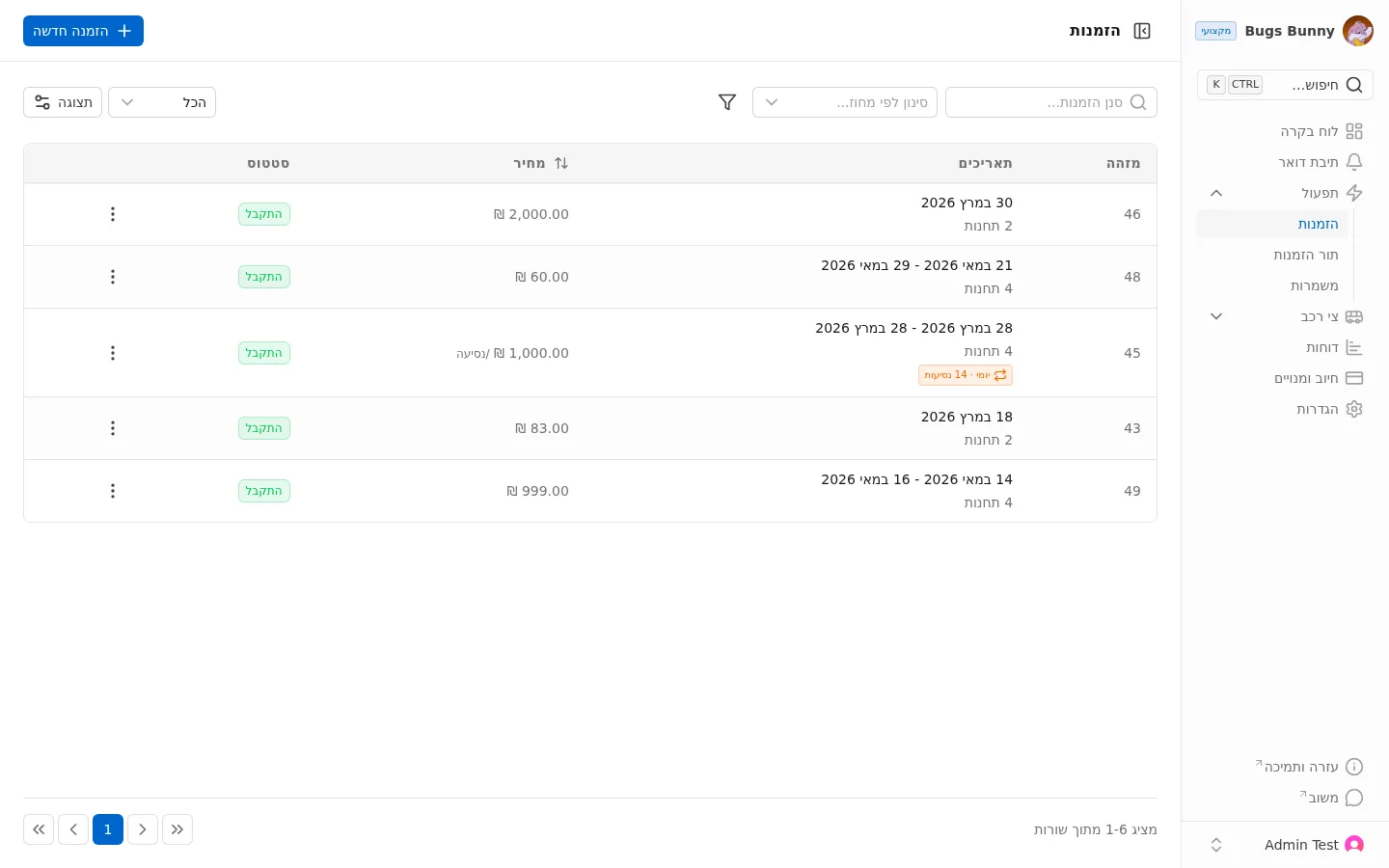
ברשימה תראו את כל ההזמנות הקיימות עם:
- מזהה — מספר הזמנה
- תאריכים — תאריכי הנסיעה ומספר תחנות. הזמנה חוזרת מציגה תווית ימי · X נסיעות
- מחיר — מחיר ב-₪. בהזמנות חוזרות מופיע /נסיעה
- סטטוס — הסטטוס הנוכחי (לדוגמה: התקבל)
פתיחת הזמנה חדשה
לחיצה על ”+ הזמנה חדשה” בפינה הימנית העליונה פותחת את האשף.
שלב 1 — בחירת סוג מסלול
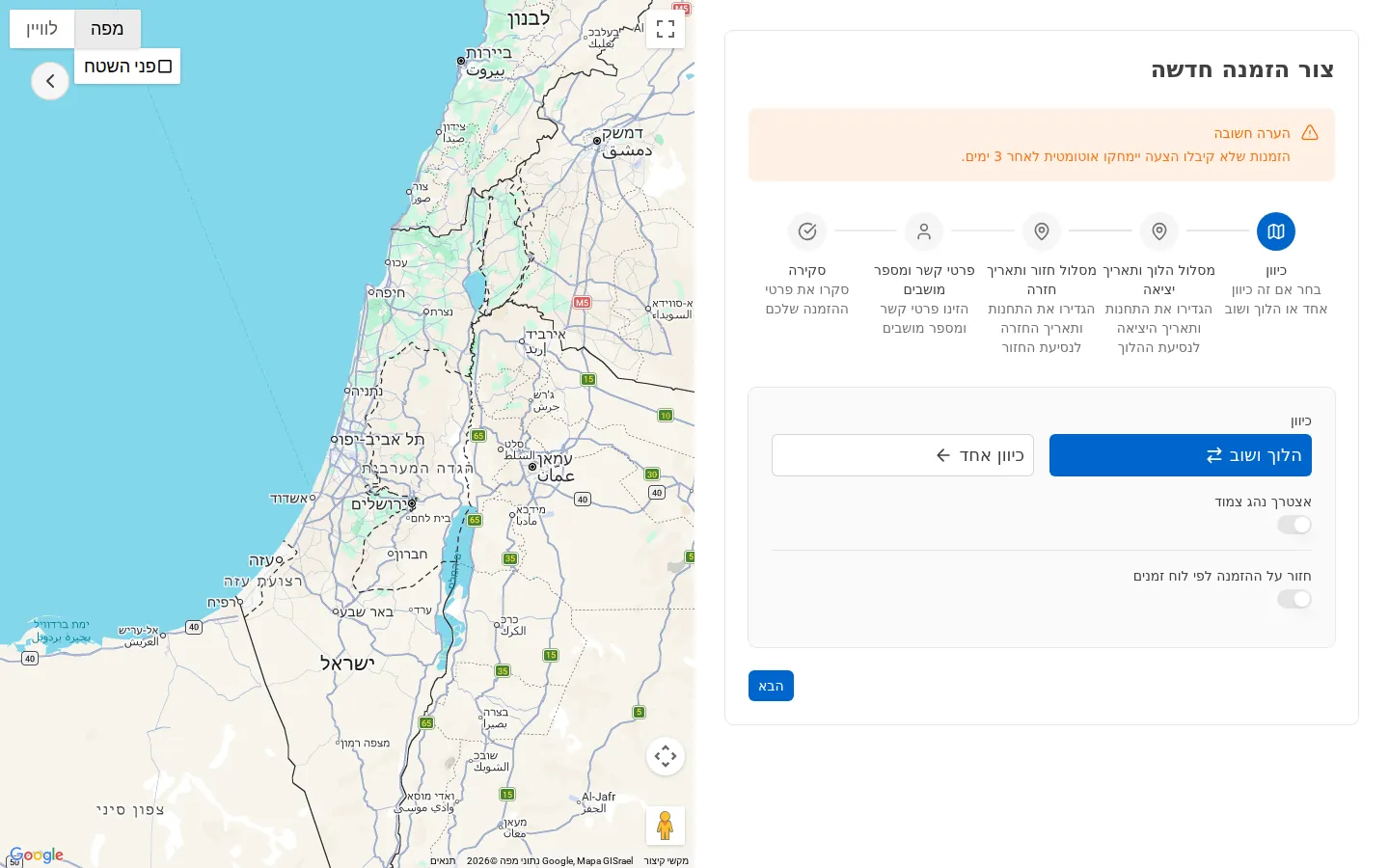
- הלוך ושוב — יציאה וחזרה
- כיוון אחד — כיוון יחיד
- נדרש מלווה — סמנו אם רלוונטי
- חזרה על ההזמנה לפי לוח זמנים — הזמנה חוזרת. סמנו עבור הסעות יומיות או שבועיות
לחיצה על הבא.
שלב 2 — תחנות
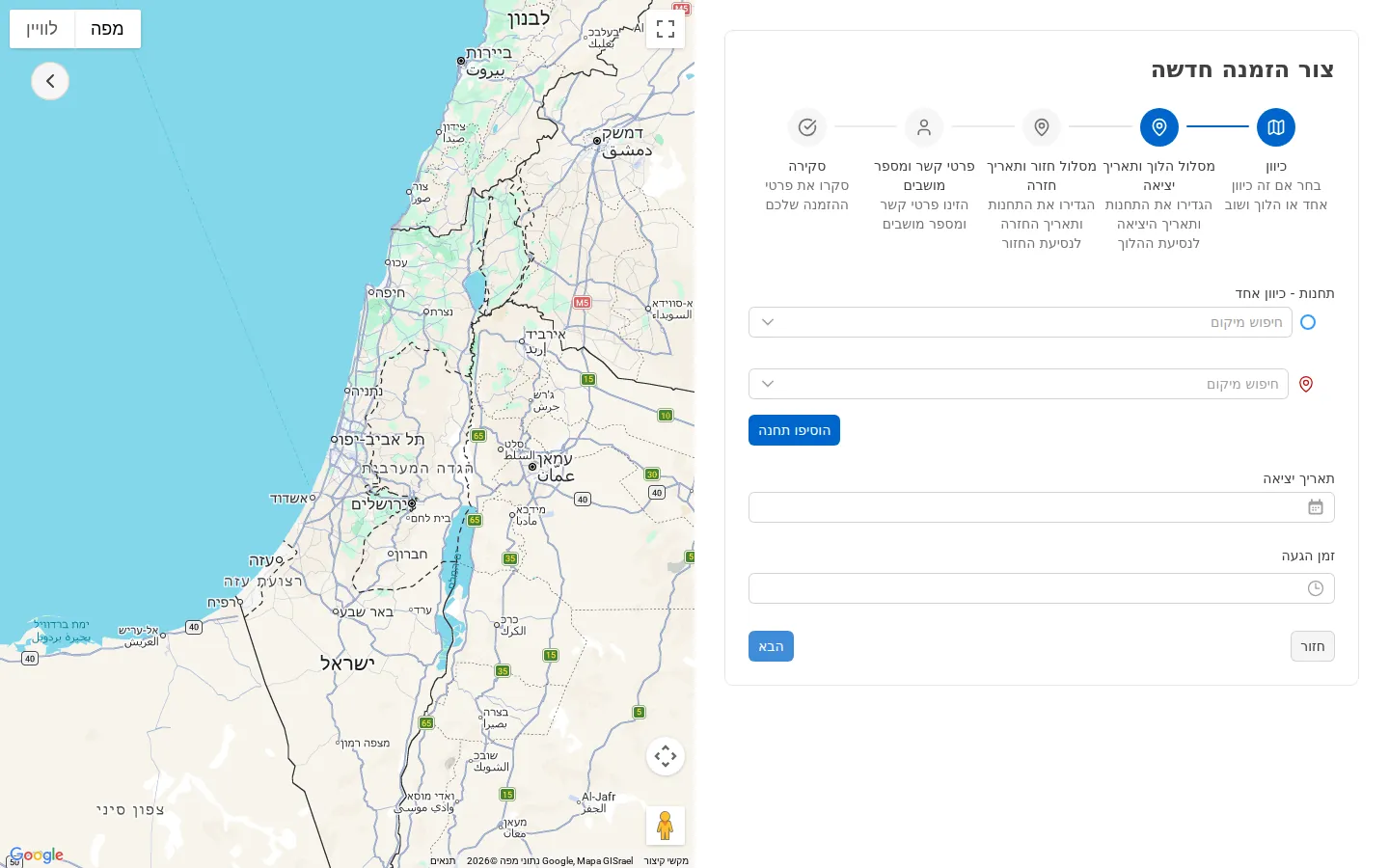
לכל הזמנה יש לפחות שתי תחנות (יציאה + יעד). לוחצים “חיפוש מיקום” ובוחרים מהרשימה. כפתור “הוסף תחנה” מאפשר תחנות ביניים.
מילוי תחנות:
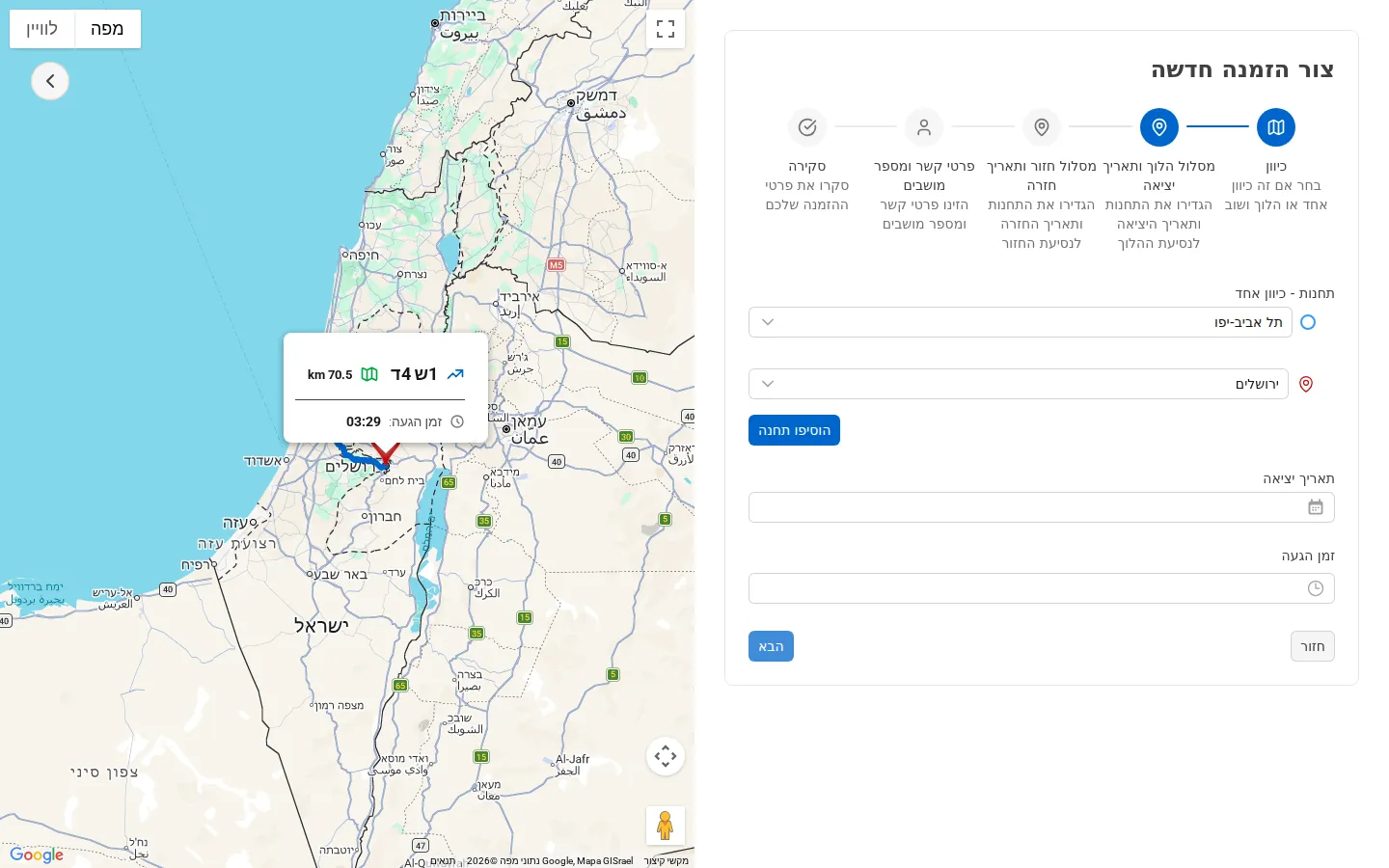
לאחר בחירת המיקום, הוא מוצג כתווית. גוררים את הסדר במידת הצורך.
שלב 3 — תאריך ושעה
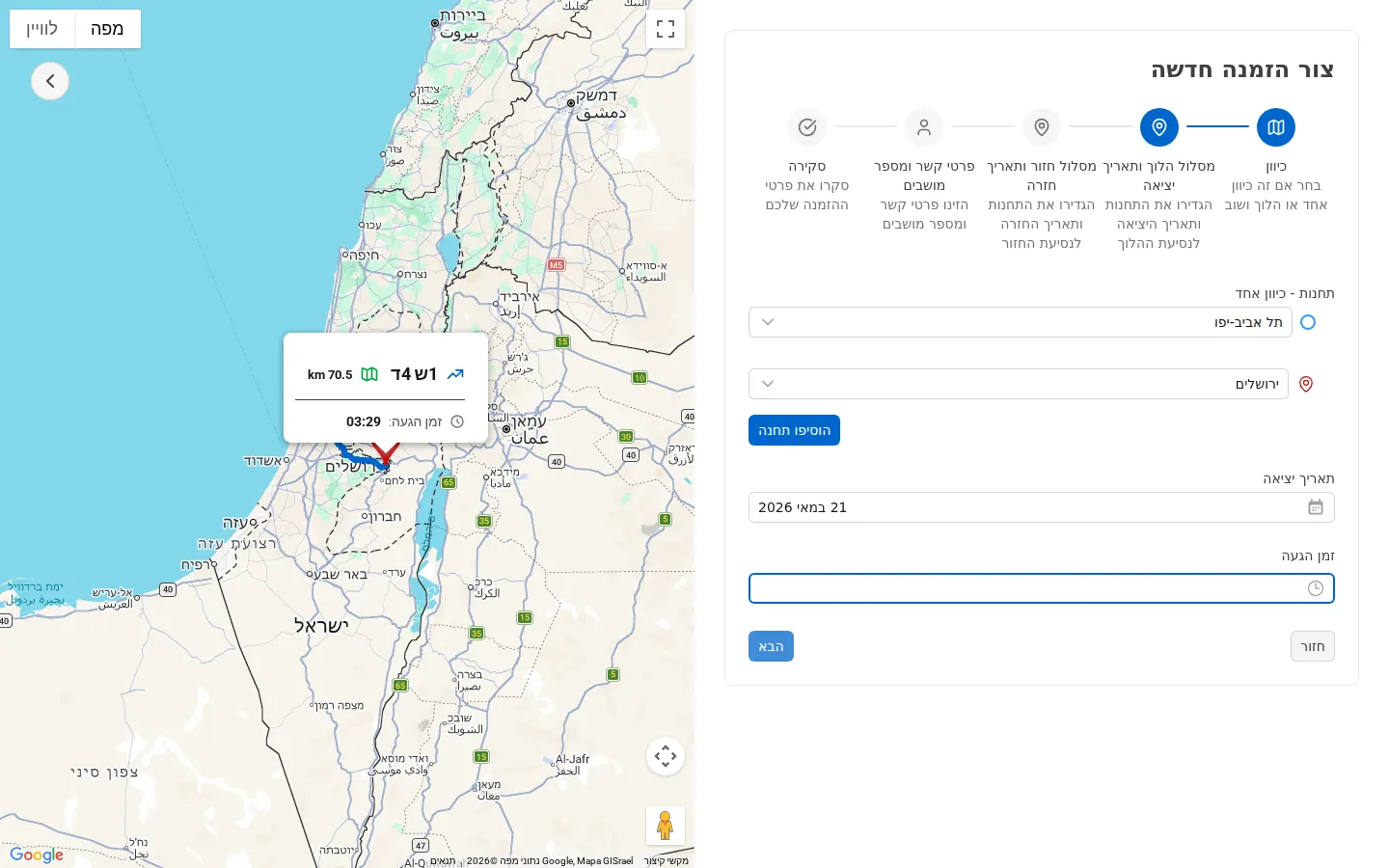
לאחר מילוי התחנות, מימין יופיעו שדות תאריך ושעה. במקביל, המפה משמאל תציג את המסלול המלא והערכת זמן נסיעה.
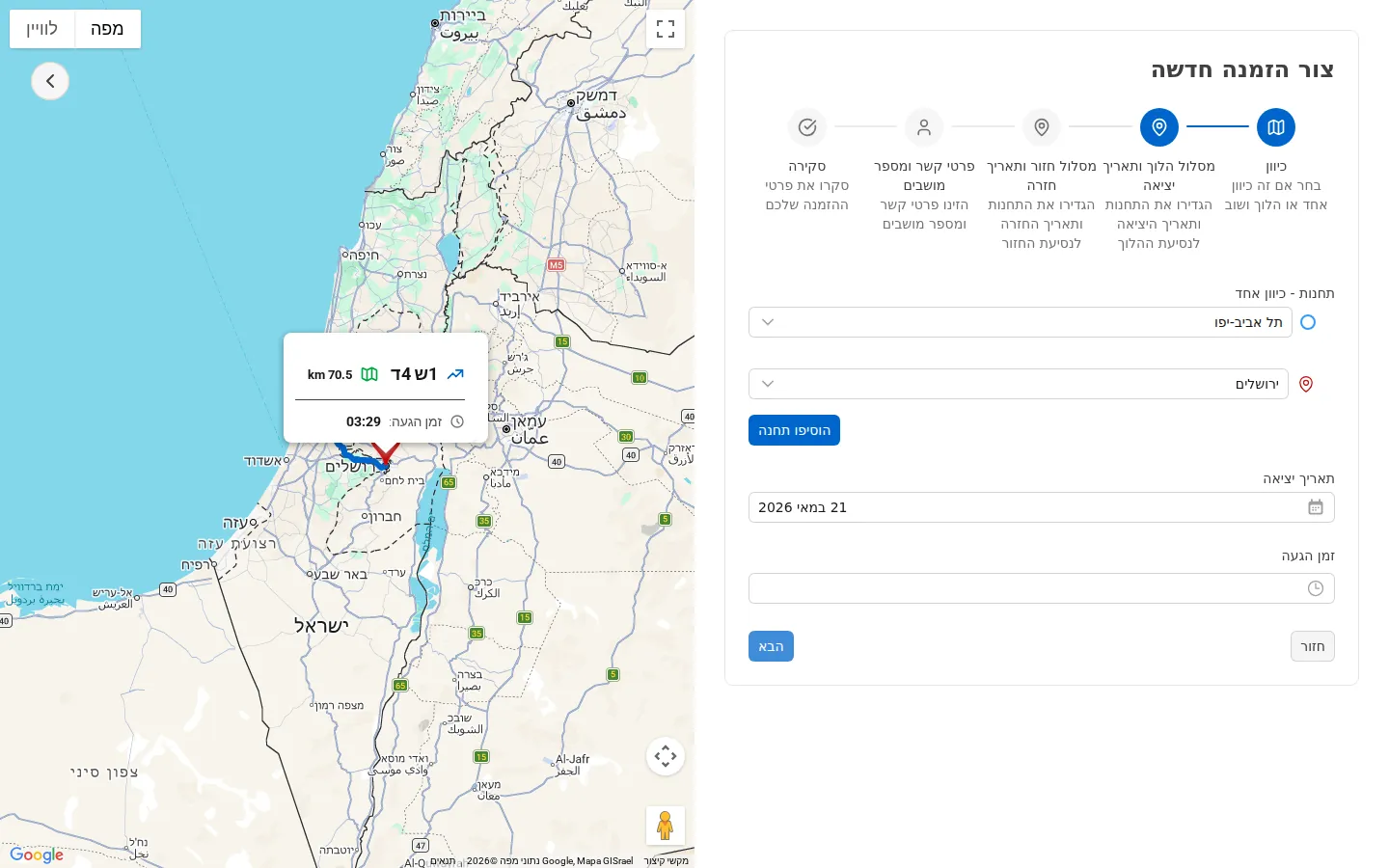
לחיצה על שדה שעת הגעה פותחת בורר שעות (24 שעות) ודקות (00 / 15 / 30 / 45):
שלב 4 — פרטים נוספים
- סוג דרך — סוג הדרך
- תוויות — לתיוג מותאם
- נדרש מלווה — סימון במידת הצורך
חד-פעמי או חוזר?
בעת יצירת ההזמנה, יש לבחור:
- נסיעה חד-פעמית — נסיעה בודדת
- נסיעה חוזרת — סדרת נסיעות (לדוגמה: הסעת עובדים יומית)
תמחור
המחיר הוא מחיר קבוע שהסדרן מגדיר. זהו הסכום שיופק על ההזמנה ויחויב ללקוח.
סטטוסים אפשריים
| סטטוס | משמעות |
|---|---|
| ממתין לאישור | רק להזמנות מלקוח חיצוני — מחכה לאישור הסדרן |
| התקבל | אושרה ונמצאת בלוח התפעולי. מצב התחלתי להזמנה שיוצר ארגון |
| ממתין | ממתינה לשיוך נהג ורכב |
| שובץ | שויכה לנהג |
| בביצוע | בנסיעה |
| הושלם | הסתיימה |
| בוטל | בוטלה |