מעקב 2 דקות
צפייה ברשימת הנסיעות
איך עוקבים אחרי הזמנות פעילות, סטטוסים ומוני מרכז הפיקוד החי
מתי משתמשים בזה?
זה המסך שהסדרן רואה רוב היום. כל ההזמנות הקיימות ומצב הביצוע שלהן.
מרכז פיקוד חי
בראש לוח הבקרה יש מרכז פיקוד חי עם שלושה מונים בזמן אמת:
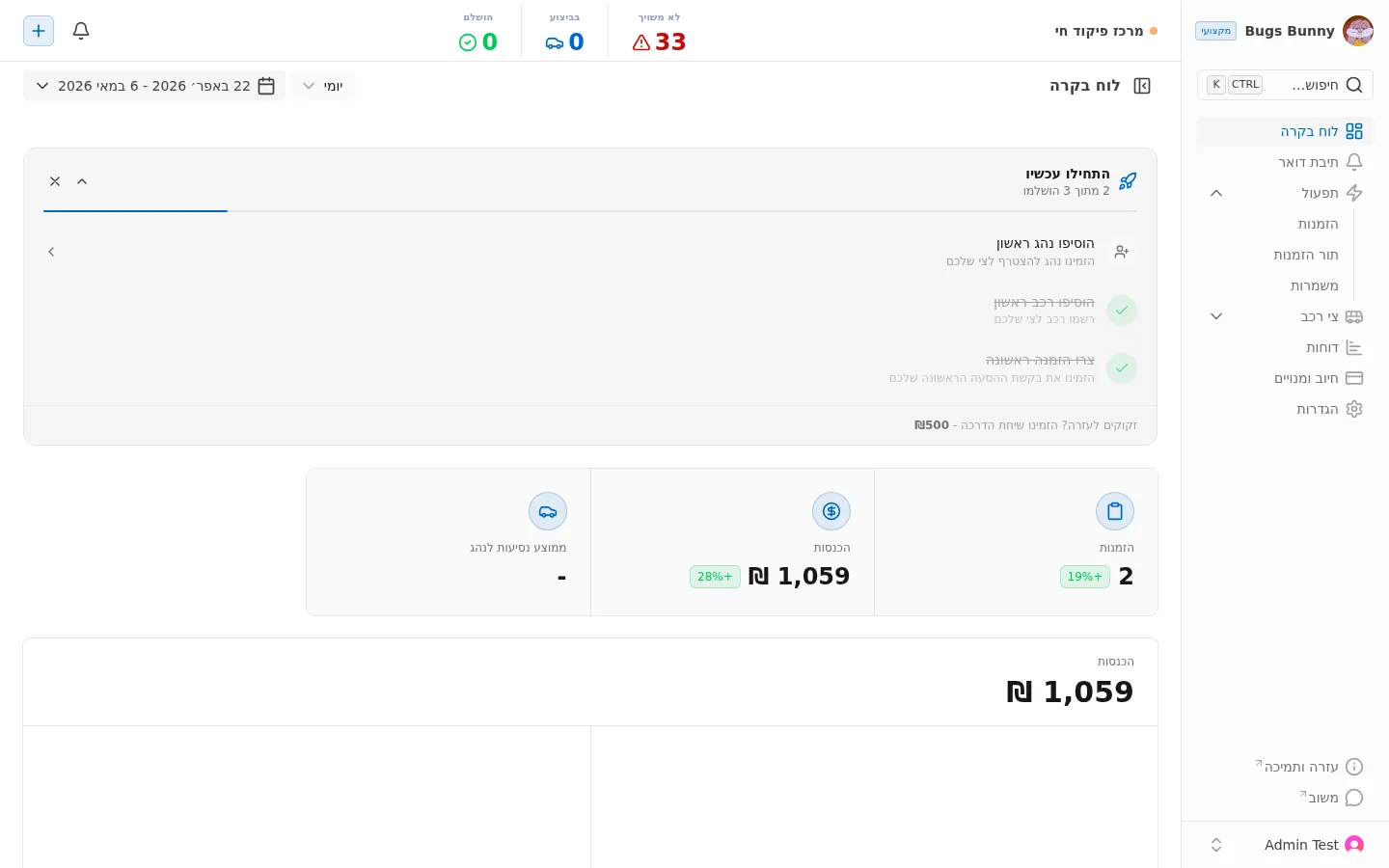
- לא משויך — הזמנות שעדיין לא שויכו לנהג (אדום = דורש פעולה)
- בביצוע — נסיעות פעילות עכשיו
- הושלם — נסיעות שהושלמו בטווח הזמן הנבחר
רשימת ההזמנות
תפריט: תפעול ← הזמנות.
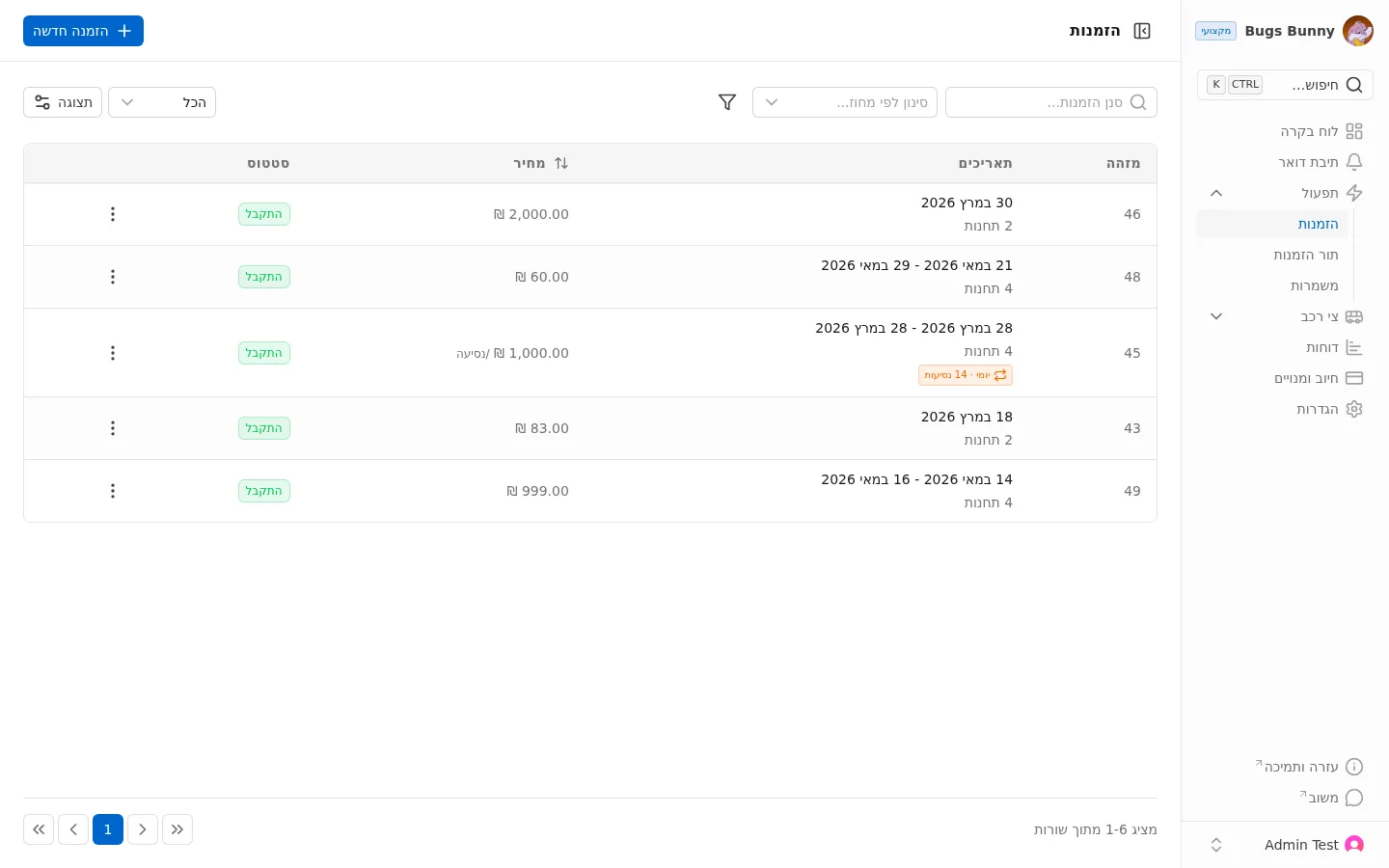
עמודות:
- מזהה — מספר הזמנה
- תאריכים — תאריכי הנסיעה ומספר תחנות
- מחיר — מחיר ב-₪ וסוג החיוב (לנסיעה או סך הכול)
- סטטוס — הסטטוס הנוכחי
סטטוסי הזמנה
| סטטוס | משמעות |
|---|---|
| ממתין לאישור | רק להזמנות מלקוח חיצוני — מחכה לאישור הסדרן |
| התקבל | אושרה ונמצאת בלוח. מצב התחלתי להזמנות שיוצר ארגון |
| שובץ | שויכה לנהג |
| בביצוע | בנסיעה |
| הושלם | הסתיימה |
| בוטל | בוטלה |
סינון וחיפוש
- סינון הזמנות — חיפוש חופשי
- סינון לפי אזור — סינון גאוגרפי
- הכל / תצוגה — בחירת העמודות המוצגות
הזמנות חוזרות
הזמנות שיש להן תווית ימי · 14 נסיעות (או דומה) הן סדרת נסיעות יומיות (למשל הסעת עובדים יומית). אלו מנוהלות כיחידה אחת.