חיוב 2 דקות
סיום נסיעה ודוחות
איך נסיעה עוברת למצב הושלם ואיך מפיקים דוחות ביצועים
איך נסיעה מסתיימת
הנסיעה עוברת אוטומטית למצב הושלם ברגע שהנהג מסמן את כל נקודות הציון באפליקציית הנהג. אין צורך בלחיצה ידנית של הסדרן.
איך עוקבים אחרי הביצועים
תפריט: דוחות.
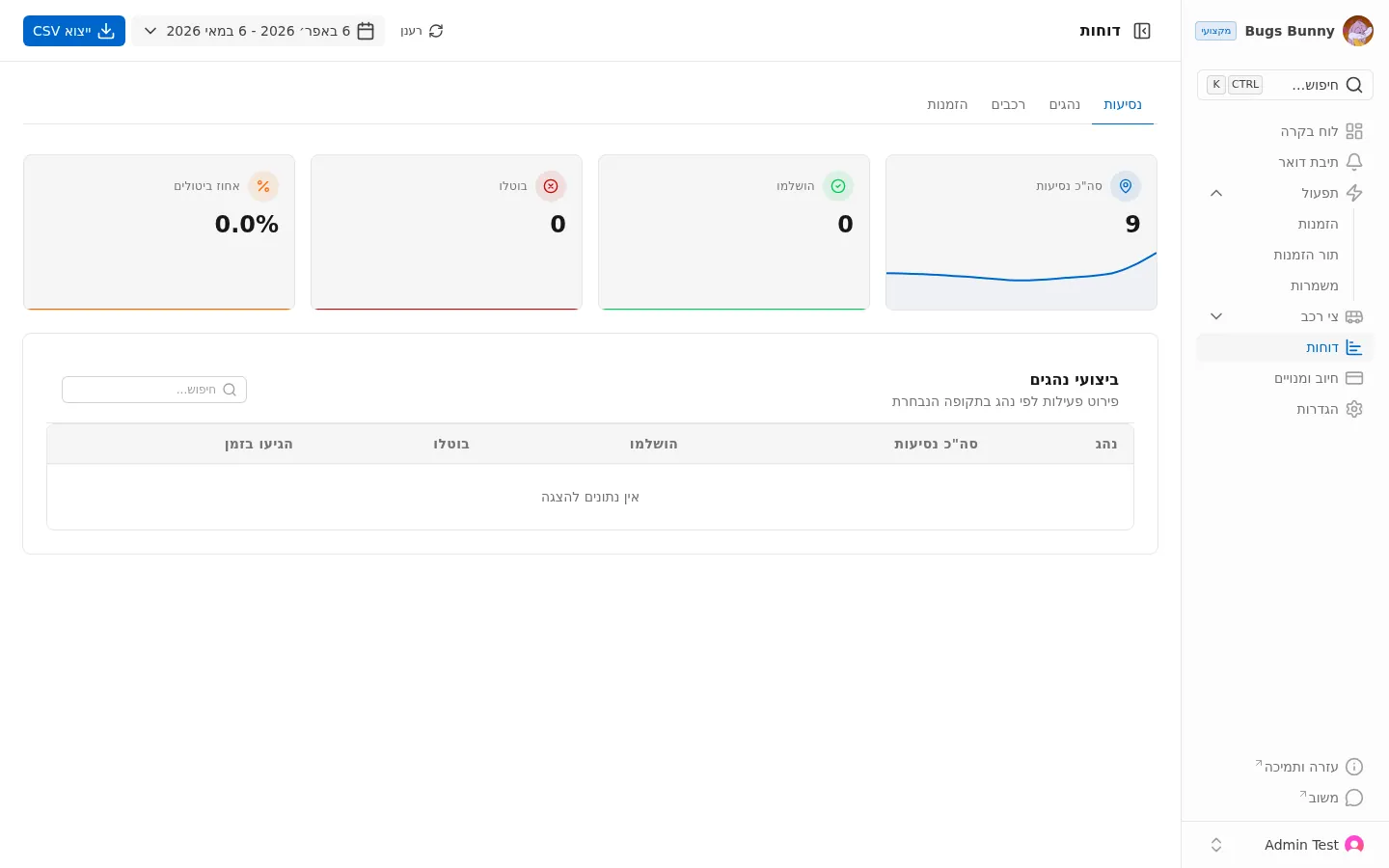
המסך כולל ארבע לשוניות:
- נסיעות
- נהגים
- רכבים
- הזמנות
מדדים מרכזיים
בכל דוח מוצגים ארבעה מדדים:
- סך הנסיעות — סך הנסיעות בטווח הנבחר
- הושלמו — נסיעות שהסתיימו
- בוטלו — נסיעות שבוטלו
- אחוז ביטולים — שיעור הביטולים
טווח תאריכים
בפינה הימנית העליונה יש בורר תאריכים. ברירת המחדל היא 30 הימים האחרונים.
ביצועי נהגים
מתחת למדדים יש טבלת פירוט ביצועי נהגים עם:
- נהג — שם הנהג
- סך הנסיעות — סך הנסיעות
- הושלמו — נסיעות שהסתיימו
- בוטלו — נסיעות שבוטלו
- נסיעות בזמן — נסיעות שהגיעו בזמן
ייצוא
לחיצה על ייצוא CSV בפינה הימנית העליונה מורידה את הדוח כקובץ CSV.
חיוב ותמחור
החיוב מבוסס על מנוי חודשי בתוספת עמלות לפי הזמנות (מוגבל לפי תוכנית):
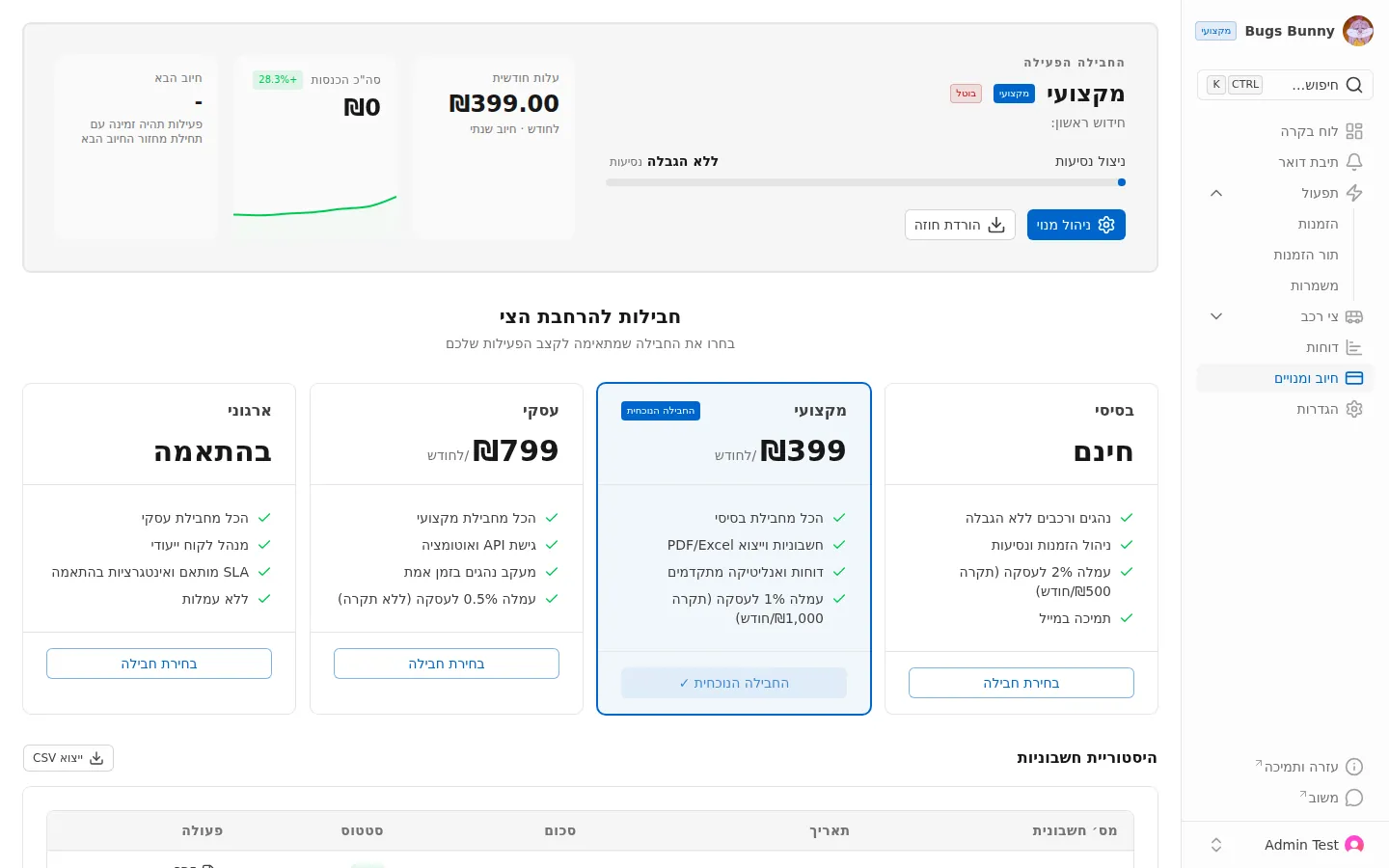
ארבע תוכניות:
- סטארטר — חינם. עמלה של 2% (תקרה ₪500 לחודש)
- מקצועי — ₪399 לחודש. עמלה של 1% (תקרה ₪1,000 לחודש)
- עסקי — ₪799 לחודש. עמלה של 0.5% (ללא תקרה)
- ארגוני — מותאם אישית. ללא עמלה