נהגים 2 דקות
ניהול צוות
איך מוסיפים נהגים ומנהלים, וצופים בסטטוס פעילות הצוות
מתי משתמשים בזה?
הוספת נהגים חדשים, צפייה בכל חברי הצוות, וזיהוי מי לא היה פעיל לאחרונה.
איך מגיעים
תפריט: צי רכב ← צוות.
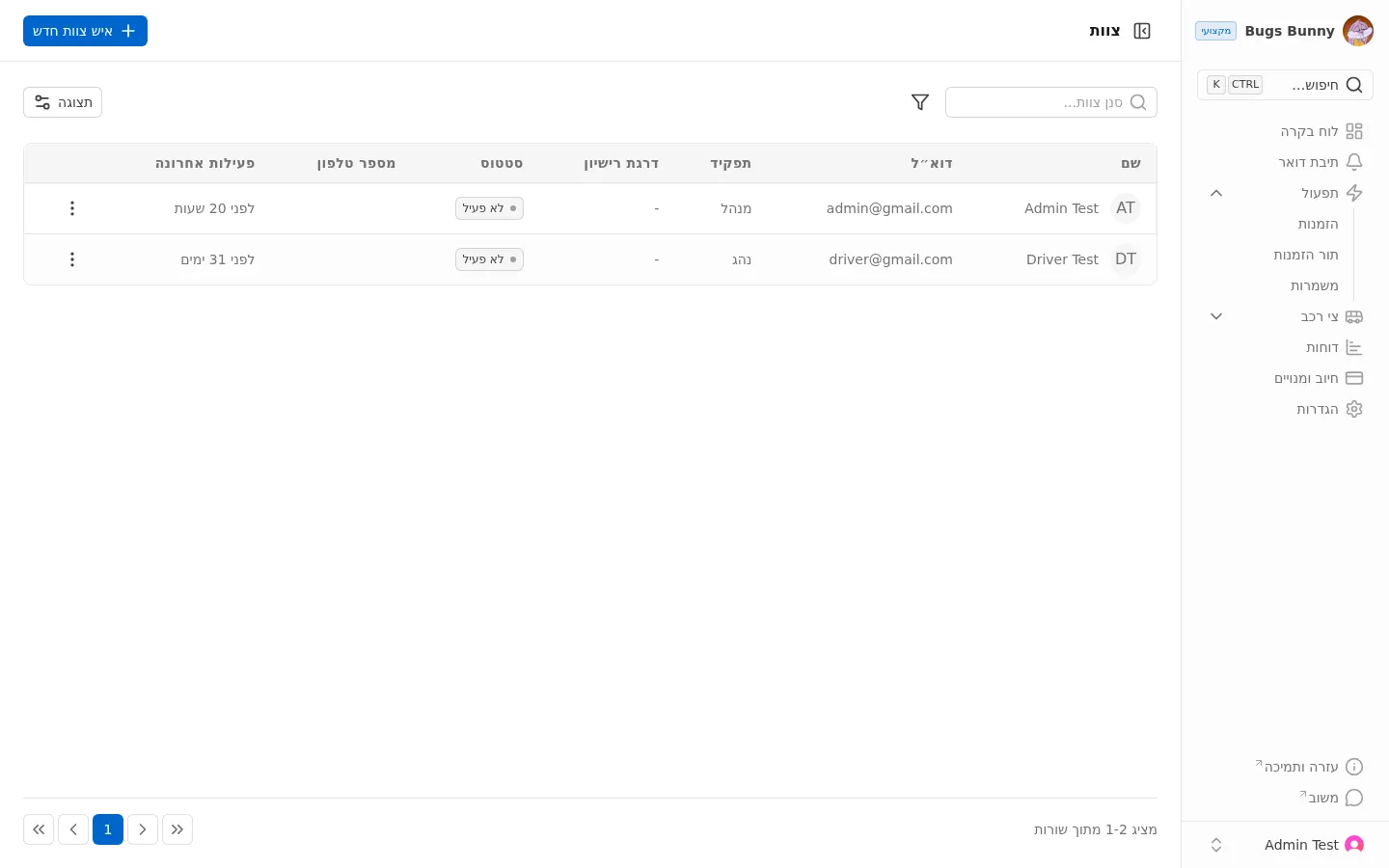
מה רואים
טבלת חברי הצוות עם העמודות:
- שם — שם חבר הצוות
- אימייל — כתובת המייל
- תפקיד — מנהל או נהג
- דירוג רישיון — סיווג רישיון הנהיגה
- סטטוס — פעיל או לא פעיל
- טלפון — מספר טלפון
- פעיל לאחרונה — מתי היה פעיל לאחרונה
הוספת חבר צוות חדש
לחיצה על ”+ חבר צוות חדש” בפינה הימנית העליונה פותחת טופס הוספה.
מה הסטטוס אומר?
- פעיל — חבר הצוות בעבודה כרגע
- לא פעיל — לא בעבודה (לא במשמרת פעילה)
הסטטוס מתעדכן אוטומטית לפי משמרות פעילות ופעילות באפליקציה.
חיפוש וסינון
- סינון צוות — חיפוש חופשי
- תצוגה — בחירת העמודות המוצגות